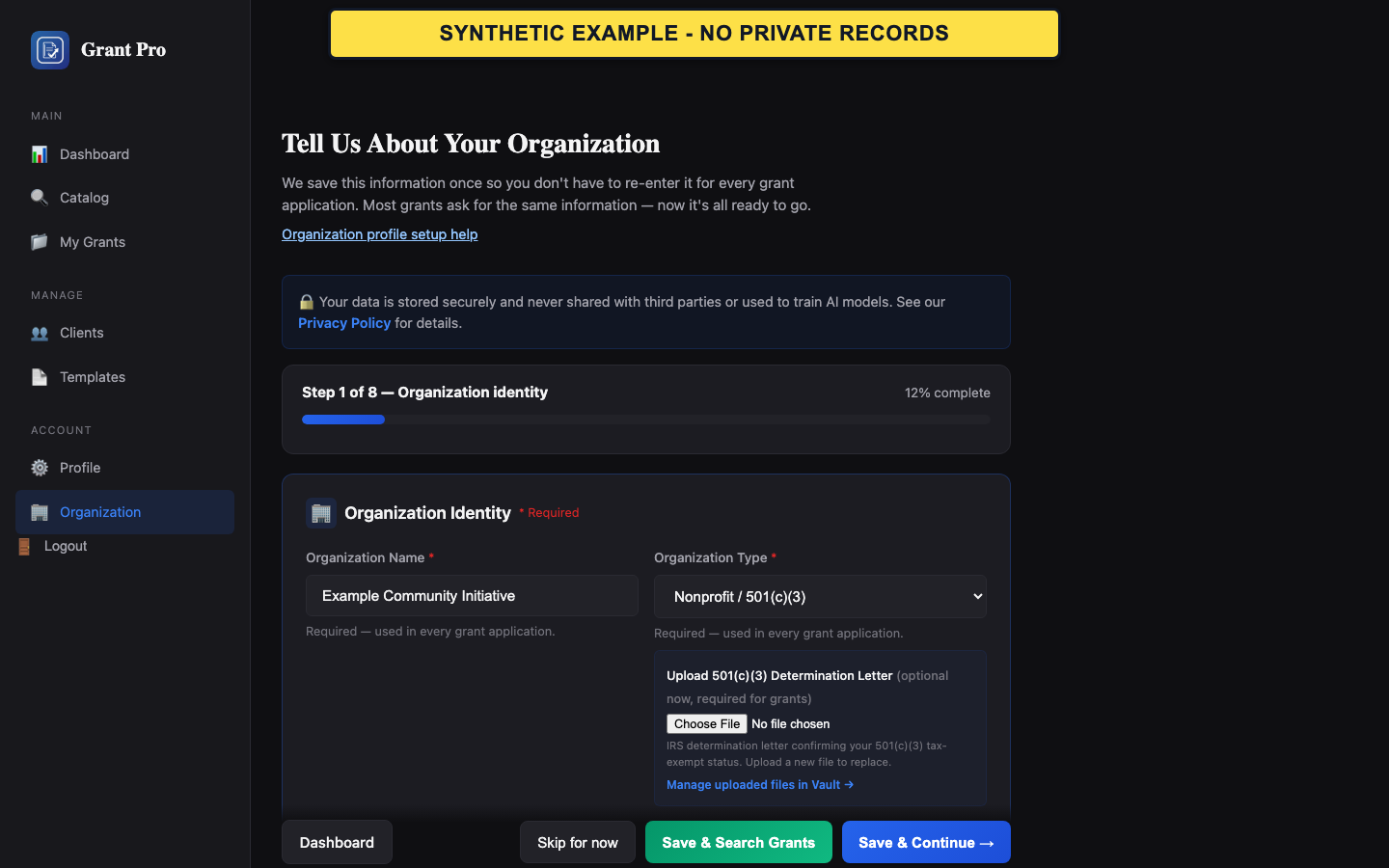
Enter the required facts
Use the organization's legal and contact information. GrantPro stores these facts for the account but does not independently verify them.
- Open Organization Profile or Profile from the dashboard.
- Complete the required identity, applicant-type, address, and contact fields.
- Save the step and confirm that the next page reflects the stored values.
- Use the legal organization name where the form requests it.
- Do not mark a registration active or an authorization confirmed unless the organization has verified it.
Add readiness and drafting context
Mission, programs, service area, staffing, budget range, grant history, and authorized contacts improve matching and later review. They do not establish eligibility.
- Add the facts you can support today.
- Leave an uncertain registration or authorization in its unknown or unconfirmed state.
- Return to Profile when an organization fact changes and save a current value.
- SAM.gov and Grants.gov status are self-reported.
- Authorized Organization Representative designation and submission authority are separate acknowledgements.
If a save is rejected or appears stale
A validation message identifies information that must be corrected before the submitted version can become current.
- Read the message beside the affected field.
- Correct only the reported field and submit again.
- If a newer saved profile is shown after a conflict, review that saved version before attempting another change.