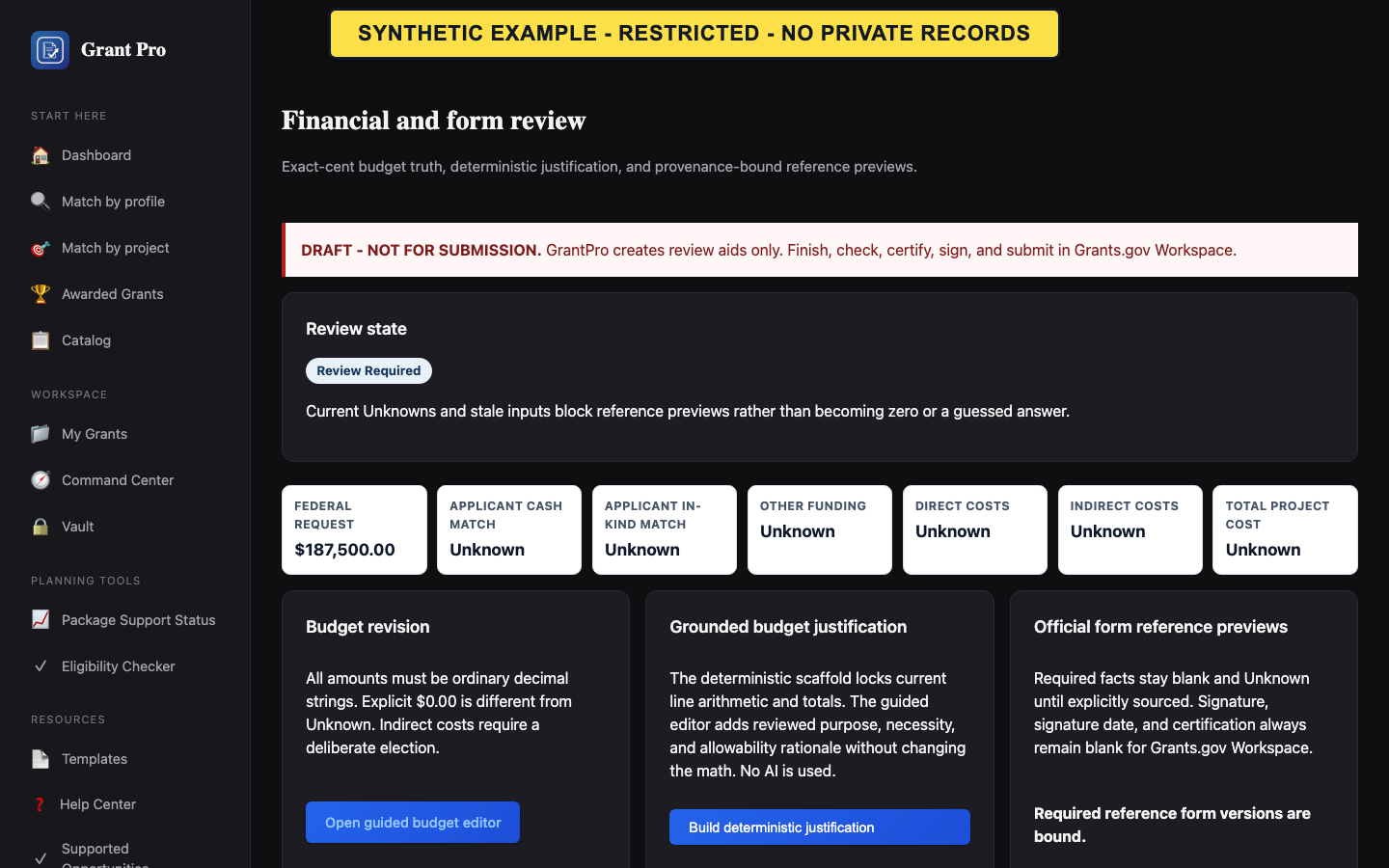
Availability boundary
Financial compilation, form previews, and final review remain controlled-validation features. Reference previews and working-review documents are not official submission forms.
- Use the workflow only when it is explicitly enabled for the selected validation workspace.
- Confirm the opportunity, applicant, and current source set before reviewing financials.
- Stop when the screen reports missing authority, source, attachment, form, registration, or package prerequisites.
- GrantPro does not certify financial facts.
- Blank signature and certification fields remain for authorized human action in the official process.
Review financials and forms when enabled
The review path separates budget lines, calculated totals, deterministic justification, form facts, and rendered reference output.
- Review cited budget requirements before editing amounts.
- Use the non-mutating preview to resolve reconciliation and required-field errors.
- Review the justification and form facts, then confirm only the exact current revisions shown on the screen.
- Run final-review preflight and read every blocker before building any review artifact.
- A preview does not save or approve a budget.
- A rendered reference form is not proof of official-form acceptance.
- A passing working-review check is not submission readiness.
If final review is blocked
Critical blockers cannot be cleared by changing labels, skipping review, or treating warnings as agency approval.
- Open the latest preflight result.
- Follow each blocker back to the identified fact, source, attachment, registration, form, or authority requirement.
- Re-run review only after the underlying current input is corrected and confirmed. Contact support if the blocker does not match the visible current state.