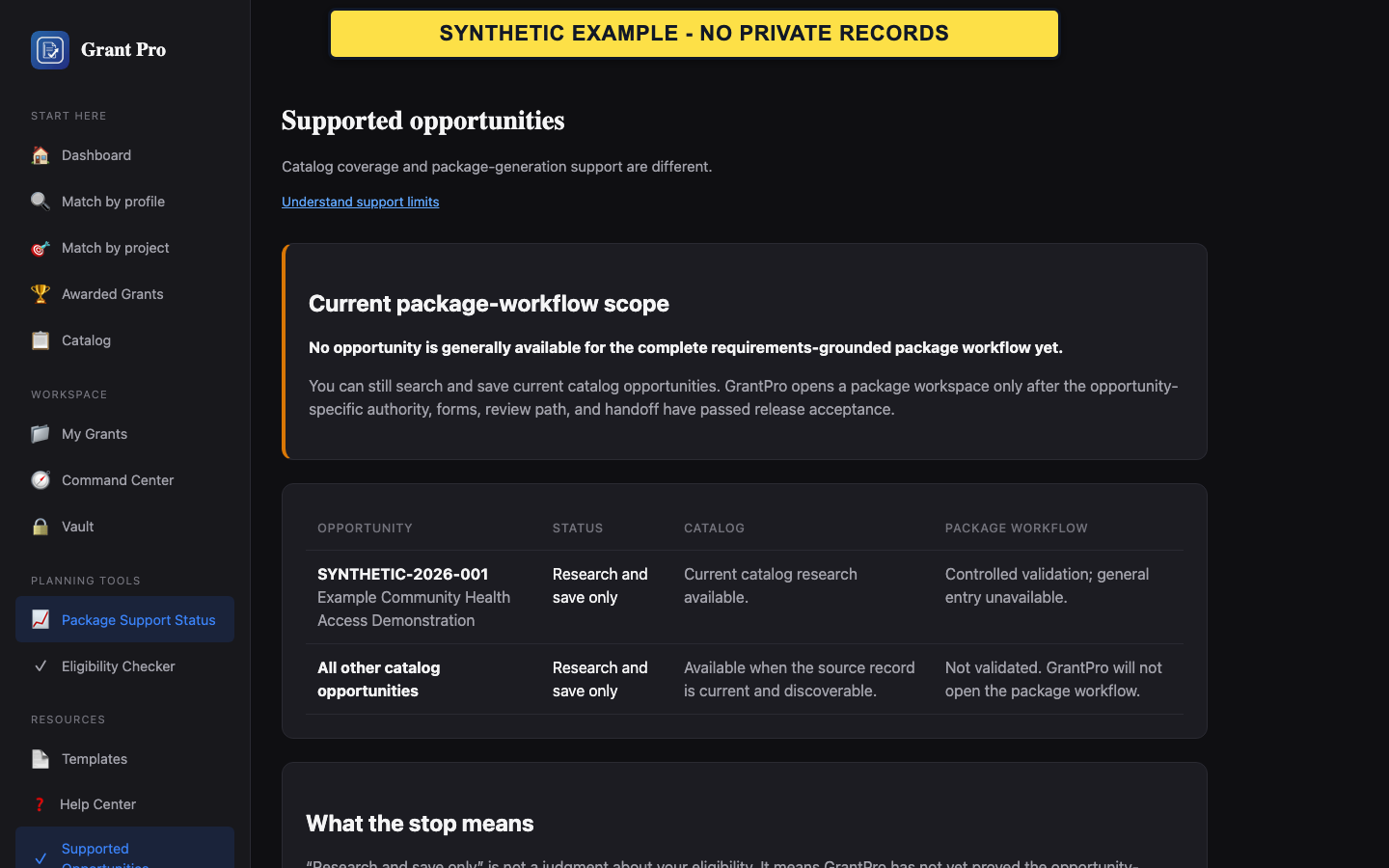
Check package support
The public catalog and the package workflow have different availability. The supported-opportunity matrix is the controlling product record.
- Open Supported Opportunities.
- Read the current package-workflow scope at the top of the page.
- Find the relevant opportunity or the general unsupported state before planning package work.
- A searchable opportunity is not necessarily package-supported.
- A validation candidate is not generally available.
Respond to a workspace stop
Workspace Unavailable is a deliberate boundary when GrantPro cannot open the package workflow.
- Read the reason shown on the stop page.
- Return to the opportunity detail or supported-opportunity matrix.
- Continue research at the official source; do not try alternate URLs or another client's record to bypass the stop.
If the matrix and screen disagree
Do not infer access from a button or stale page.
- Record the public opportunity number and the two visible states.
- Refresh the supported-opportunity matrix once.
- Contact support if the inconsistency remains.