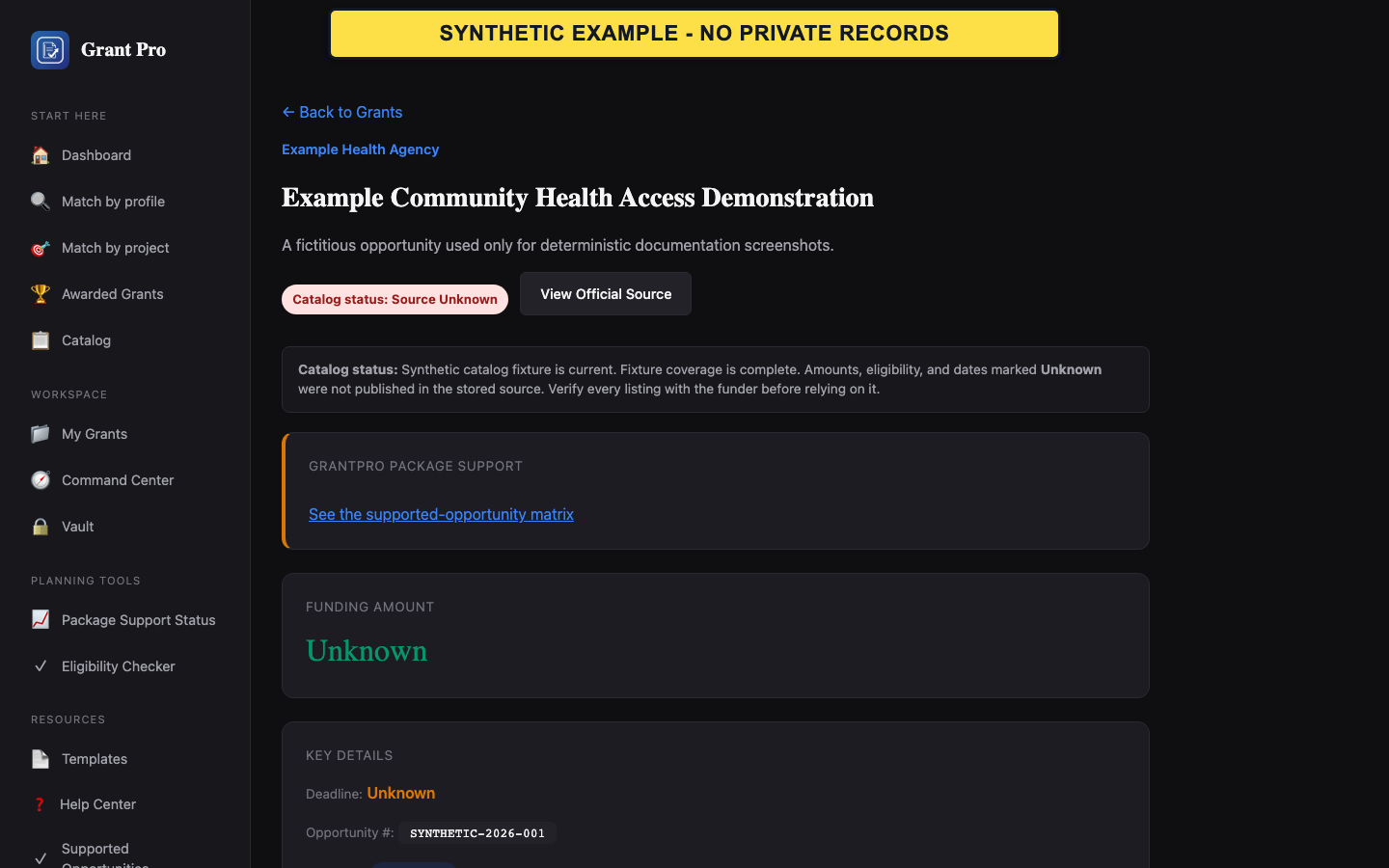
Interpret the catalog status
Status describes the stored opportunity record and can change when the source changes.
- Open the opportunity detail.
- Read the displayed status and catalog-health note.
- Treat Forecasted as advance notice, Closed as unavailable for a new submission under that notice, and Unknown as information GrantPro cannot safely assert.
- An Open label is not an eligibility determination.
- A Forecasted opportunity may not yet publish final amounts, dates, or instructions.
Verify the official source
The official funding notice controls eligibility, deadlines, required forms, submission destination, and changes.
- Use View on Grants.gov or the official-source link shown on the result or detail page.
- Match the opportunity number and title.
- Verify the current deadline, applicant types, award range, amendments, and submission instructions.
- Do not rely on a search snippet or cached copy as the final authority.
- Keep a record of the official notice version used for an application decision.
If GrantPro and the source disagree
Use the official source for the immediate decision and report the mismatch so GrantPro can review the catalog record.
- Do not overwrite an Unknown value with an assumption.
- Record the opportunity number and the field that differs.
- Contact support with the public official-source URL and a description of the mismatch; do not send private application files.